
A repair shop POS system that rings up repairs and products together
Repair shop POS software: a point of sale that takes product sales and repair payments in one sale, with cash, card and end-of-day reconciliation.
What's included in Point of Sale
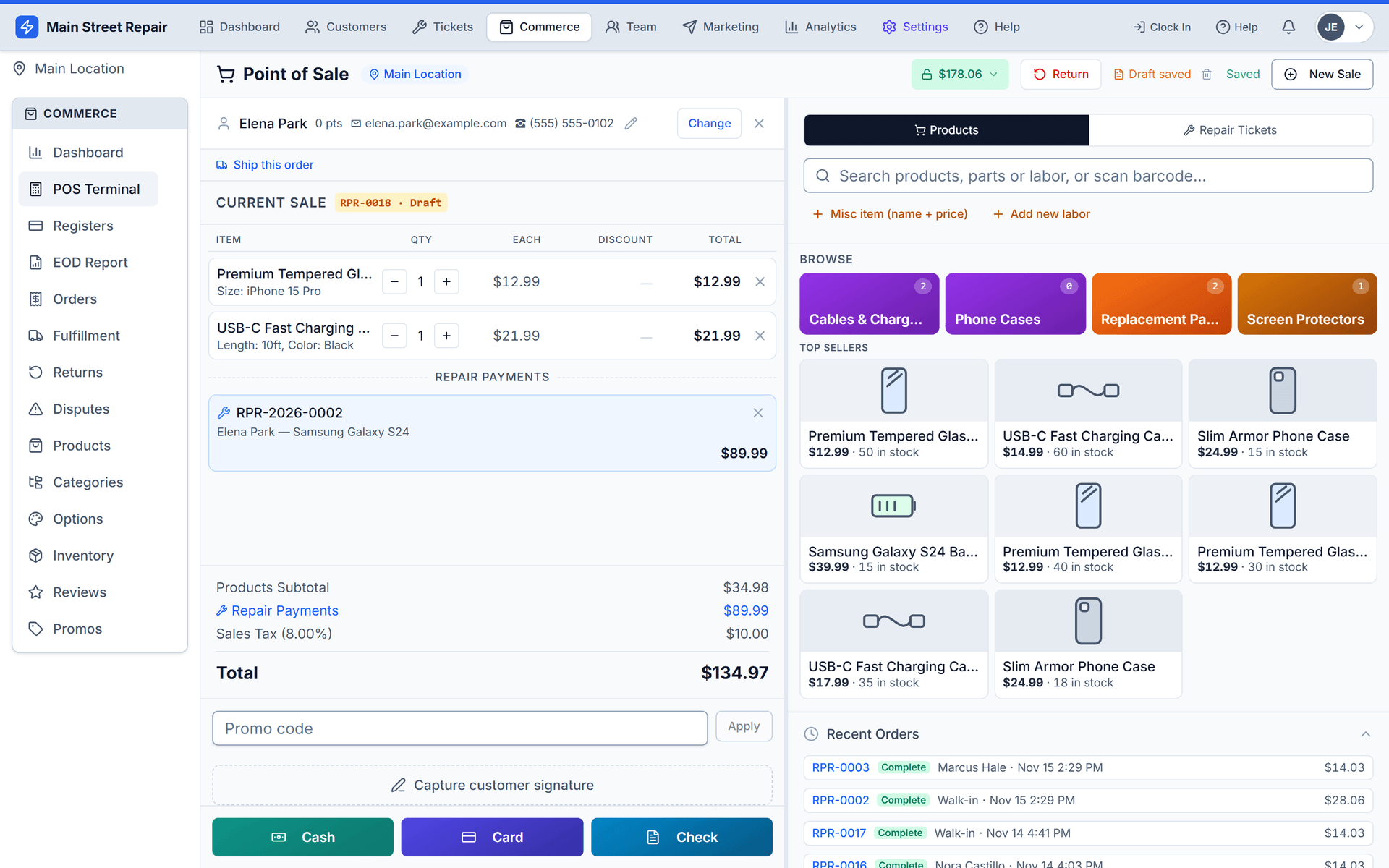
One sale for repairs and products
Put products and a repair's balance in the same sale. The customer pays once and gets one receipt.
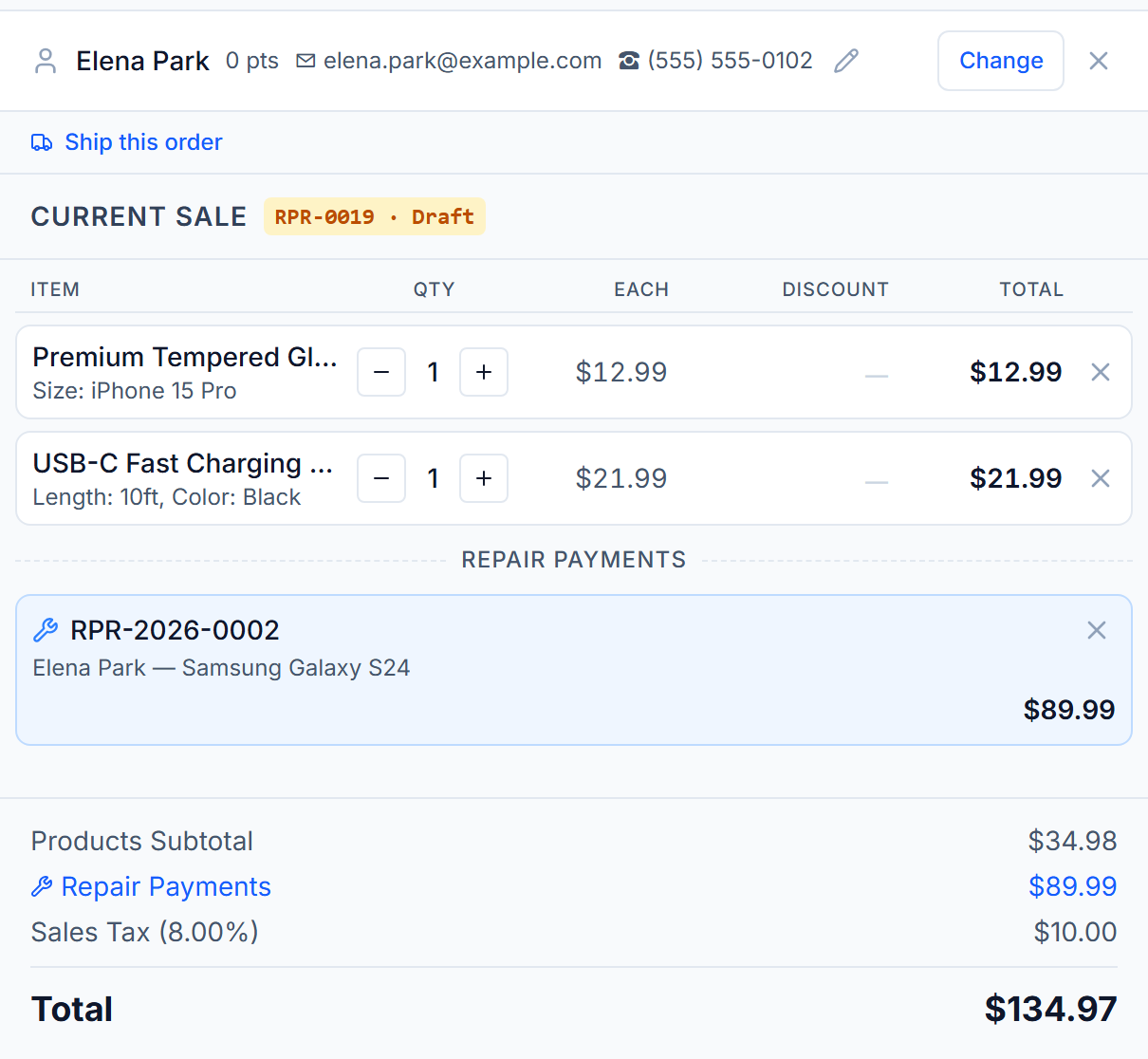
Cash & card
Take cash, with the change worked out for you, or cards through Stripe or Square. Choose which payment methods each location accepts.
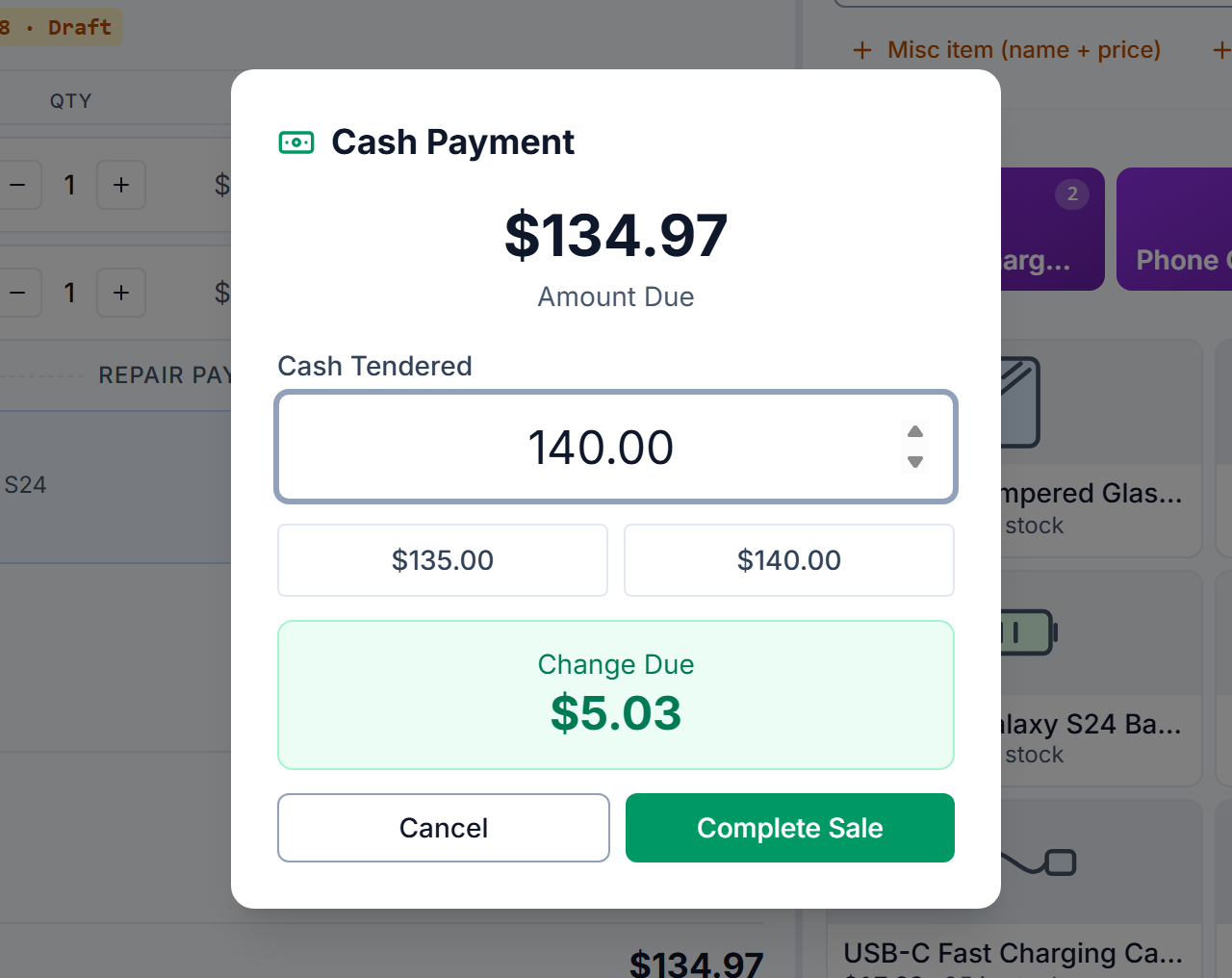
Register sessions
Open and close the register by staff member and location, and record every pay-in, pay-out and sale.
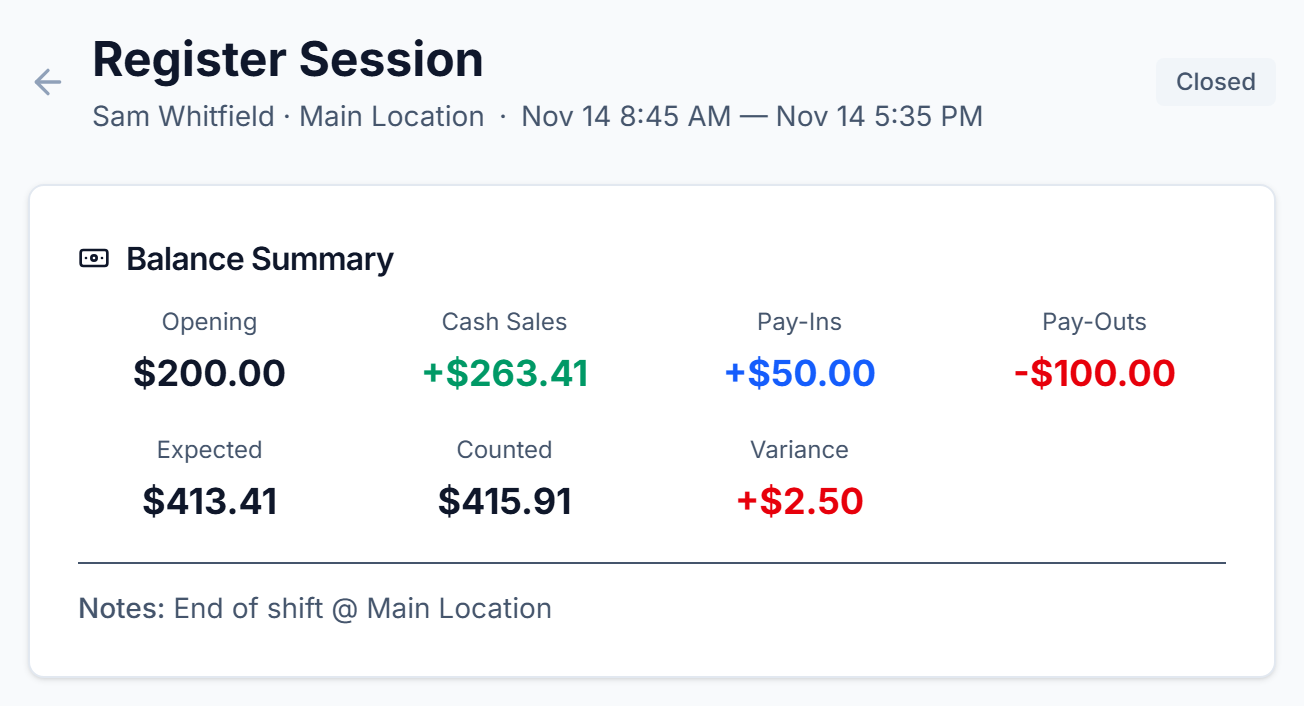
End-of-day reports
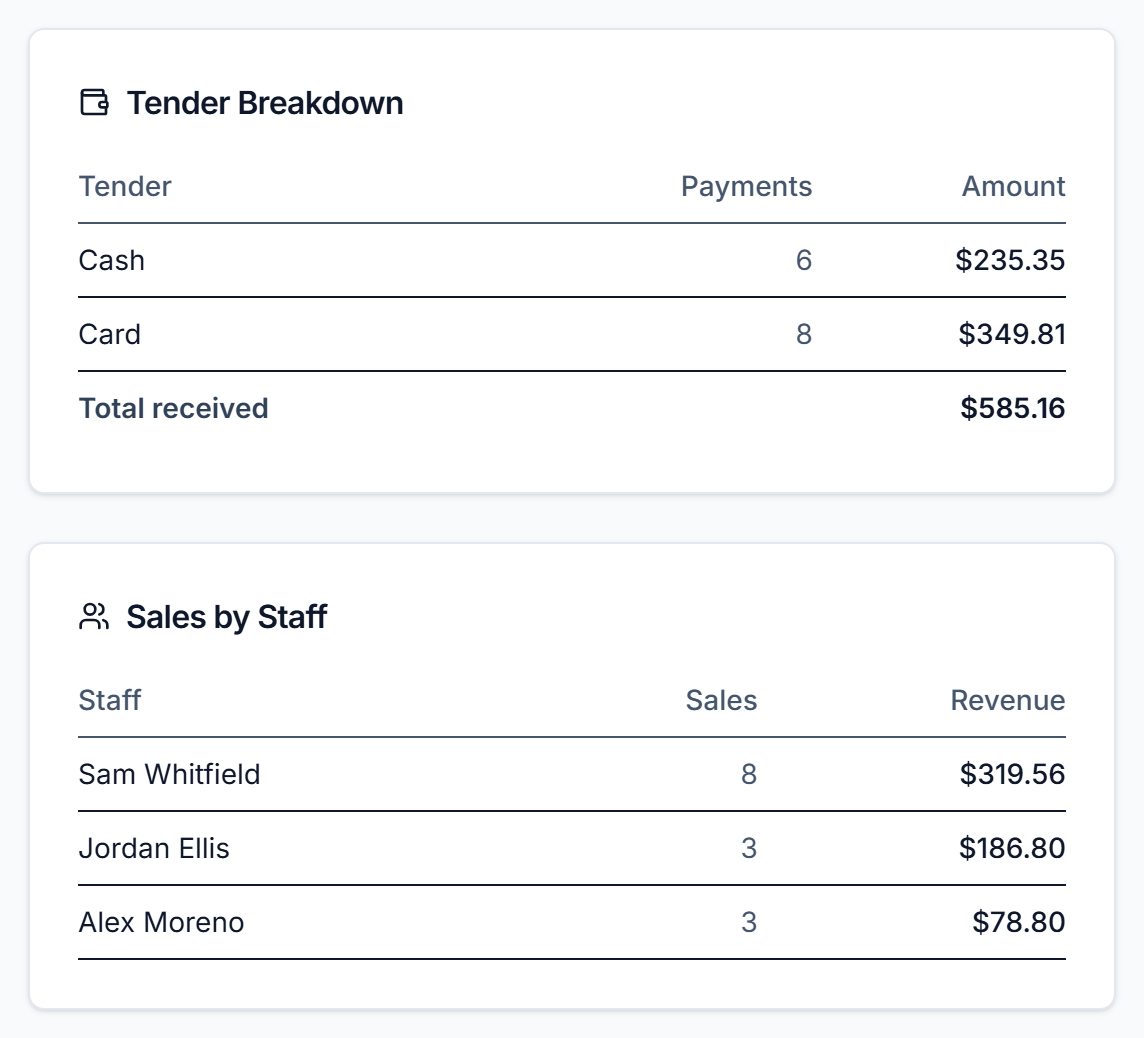
A daily summary by staff member, hour and payment method. Reconciliation compares the cash you expected with the cash in the drawer.
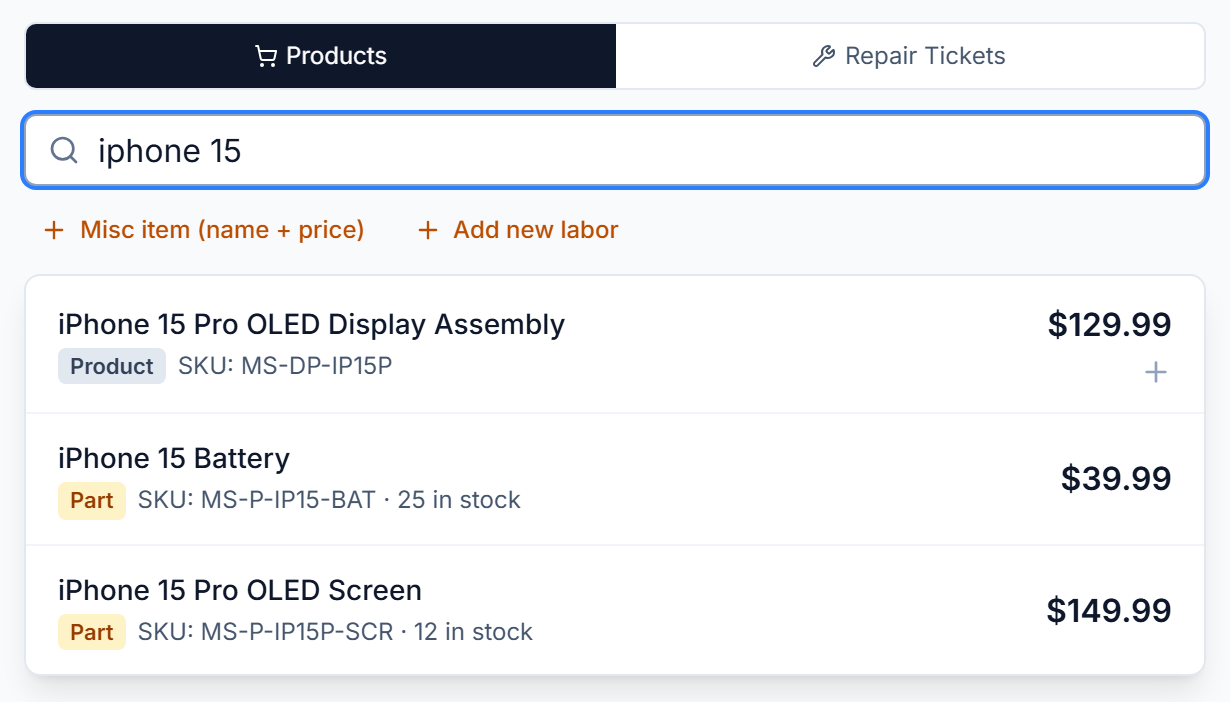
Product search
Find a product by name, SKU or barcode and add it to the sale.
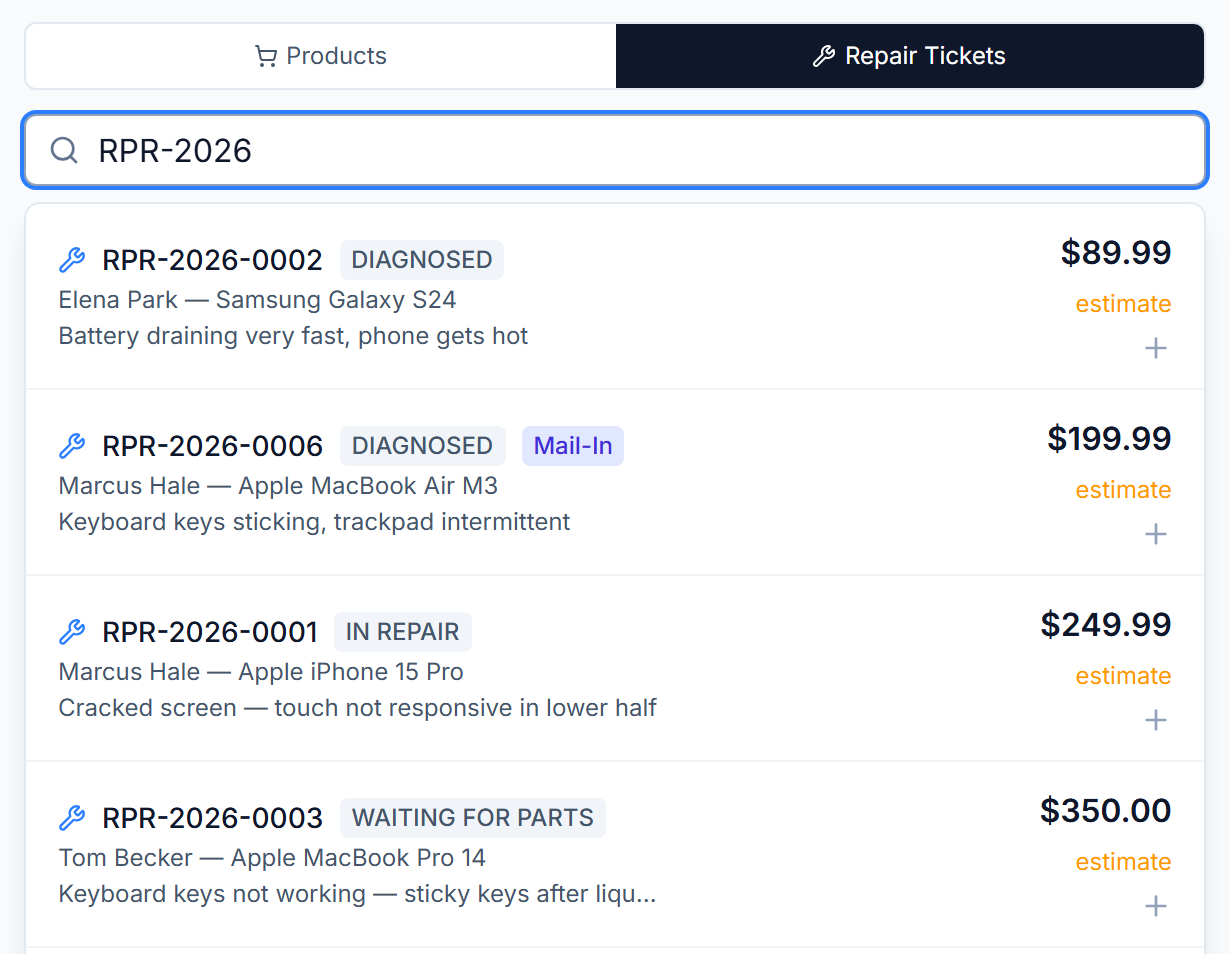
Ticket payment search
Look up an open ticket by its number or the customer's name, and take part or all of the balance at the register.
How a sale runs at the register
A customer collects a repair and buys a product while they are there. This is that sale.
Step 1
Find the ticket
On the Repair Tickets tab, search by ticket number or customer name, or scan the code on the ticket. The ticket comes into the sale at its balance.
Step 2
Add the products
On the Products tab, search by name or scan a barcode. Both go in the same cart, so one payment covers the repair and the product.
Step 3
Take the payment
Take cash, with the change worked out for you. Take a card, typed in or tapped on a card reader, through your own Stripe or Square account. Take a check. Or, for a repair, email the customer a link to pay online.
Step 4
Close the day
Closing the register compares the cash that should be in the drawer with what you counted. The end-of-day report shows the day's sales by payment type.
Why a repair shop needs its POS and its tickets in one system
A store's register sells products. A repair counter also takes money for work that is still on the bench: a deposit today, the balance at pickup, a part sold on its own. With one program for the register and another for tickets, each of those is entered in both.
In Spekco the register is part of the same system as the tickets. The repair is paid at the same register that sells your products. A part fitted on a repair and a product sold at the counter come off the same stock count. From the ticket, one button takes you to the register with the balance already in the sale.
Deposits, split payments and the cash drawer
To take a deposit, type an amount smaller than the balance. The ticket stays open with the rest due.
A customer can pay one sale with two cards, or part in cash and the rest on a card, once you turn split payments on.
A register session starts with the cash you count in. Cash sales, pay-ins and pay-outs are recorded through the day, and closing the session shows any difference between the drawer and the record.
Questions about a repair shop POS system
- Is the point of sale included, or is it an add-on?
- The register is on every plan, including Basic at $29.99 a month, with the cash drawer and register sessions. Basic includes 100 sales a month and Pro includes 1,000. After that each sale is $0.10. Enterprise has no limit.
- Which card readers work with it?
- Card payments go through your own Stripe or Square account. With Stripe, the Stripe Reader S700 and S710 and the BBPOS WisePOS E work at the register. With Square, a Square Terminal does. You can also type a card in with no hardware.
- Does Spekco take a percentage of each sale?
- No. Spekco takes no percentage of a sale. Each plan includes a number of sales a month, and a sale beyond that is $0.10. Your card processor, Stripe or Square, charges its own processing fee.
- Can I take a deposit on a repair at the register?
- Yes. On the ticket, type the amount you are taking and open the register, and that amount is in the sale. The ticket stays open with the rest due.
- Can I sell a part or charge for labor without opening a ticket?
- Yes. The register's search finds your parts by name or SKU and your saved labor by name. A part sold this way comes off your parts count when the sale is paid.
- Does the register work for a shop with more than one location?
- On Pro, which covers up to five locations, each sale is rung up at the store you pick and charged that store's tax rate. Registers are opened and closed by location.
- Do register sales go to QuickBooks?
- On Pro and Enterprise, register sales and refunds are sent to QuickBooks Online.
Related features
Repair Ticket Software
Repair ticket software and repair tracking in one ticketing system, with a status for every stage, technician assignment and automatic customer updates.
Online Store for Repair Shops
Sell accessories, parts, refurbished devices and merchandise in your own online store, with categories, variants, promo codes and card checkout. On Pro.
Repair Shop Payment Processing
Take card payments online and at the counter through your own Stripe or Square account. Spekco takes no percentage of your sales.
Try Spekco free for 30 days
No setup fees, and nothing is charged until day 30.