
Sell Parts and Labor at Your Repair Shop POS Without Opening a Ticket
One change this week, asked for by a shop that sells a lot over the counter: you can now ring up a repair part or labor at the register without opening a ticket.
The search box on the POS finds your parts and your saved labor next to your products. A part you sell comes off your stock count by itself, and labor is taxed the way your shop taxes labor.
There is nothing to set up.
Commerce → POS Terminal · the search box on the Products tab
One Search on the Repair Shop POS Finds Products, Parts and Labor
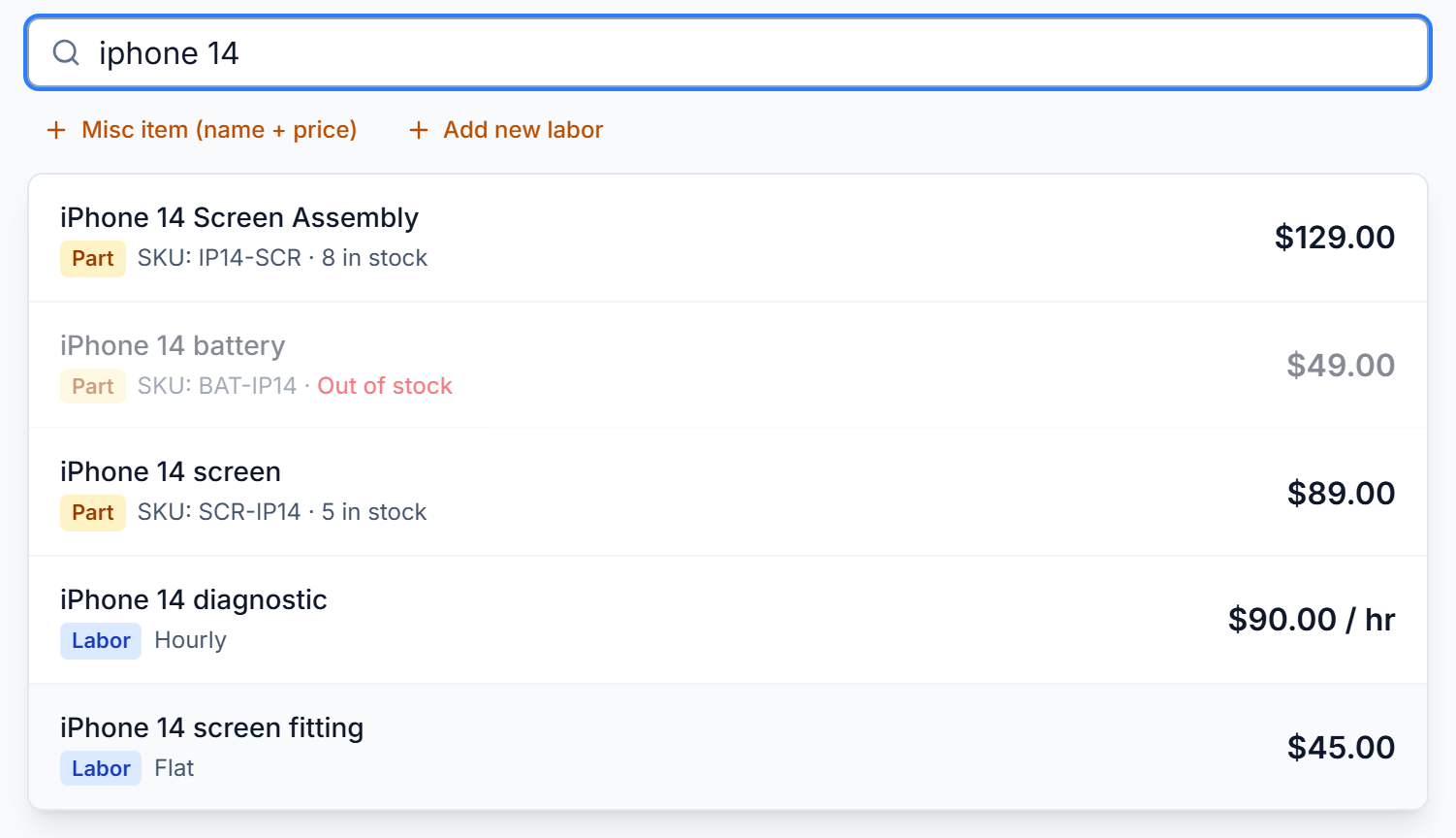
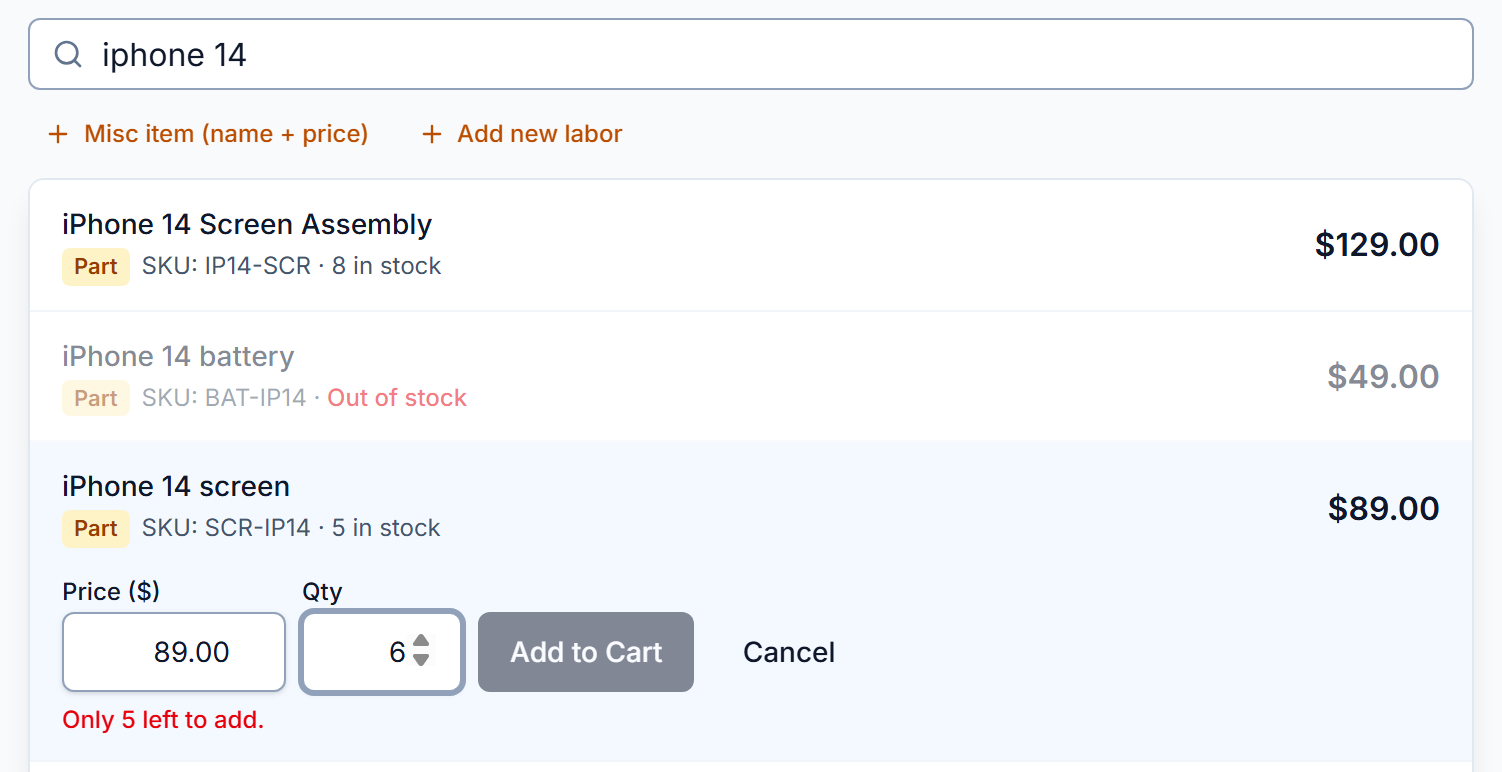
A customer wants a battery, a screen, or ten minutes of bench time. Type in the search box on the POS and the list shows everything that matches:
- Your products, as before.
- Your repair parts, by name or SKU, with how many are in stock.
- Your saved labor, by name, with its price or its hourly rate.
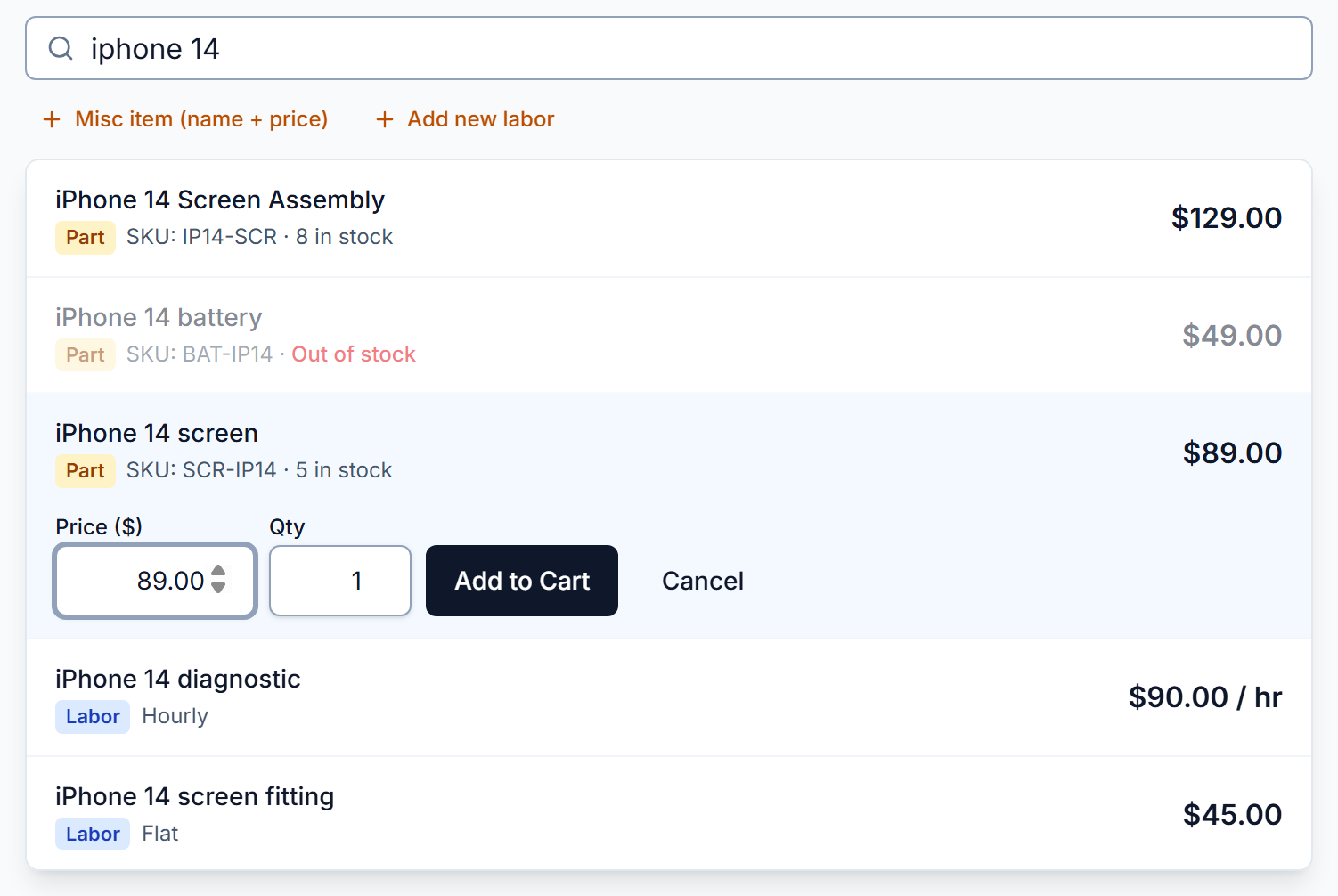
Each row is marked Part or Labor. Tap one and it opens with its price and a quantity of 1. Change either if you need to, then press Add to Cart.
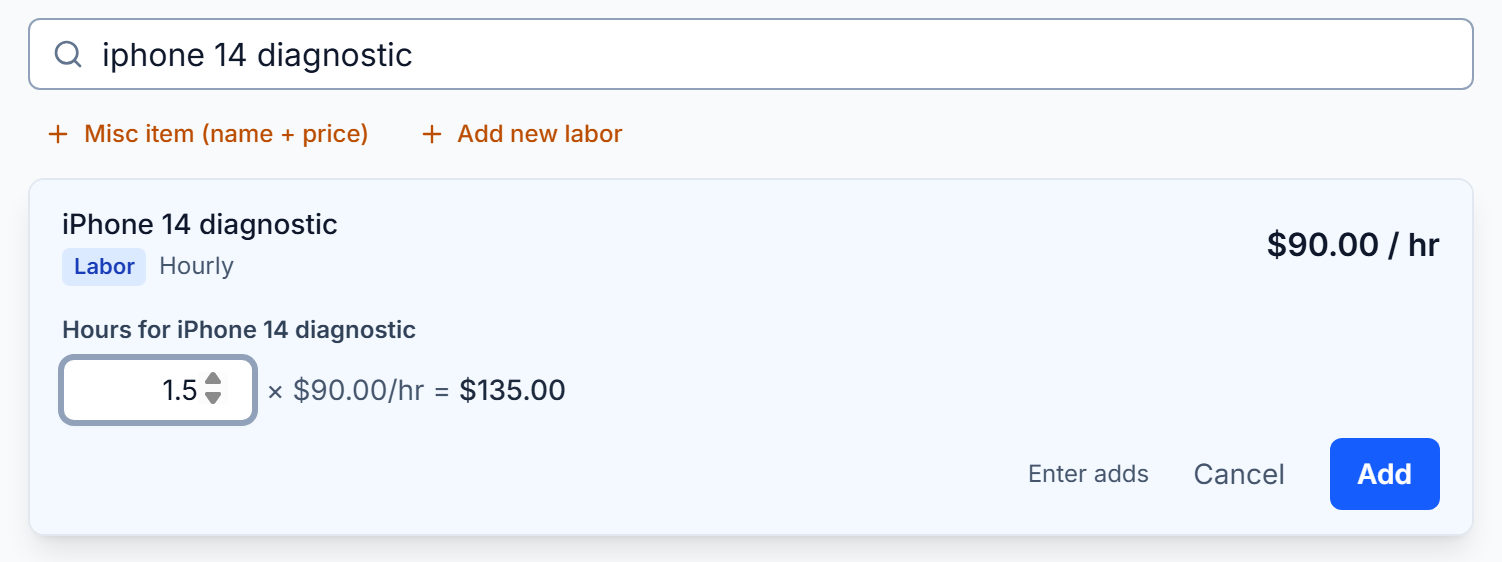
Hourly labor asks for the hours and charges them at its saved rate. For a job you have not saved, press Add new labor, next to Misc item, and type a name and an amount.
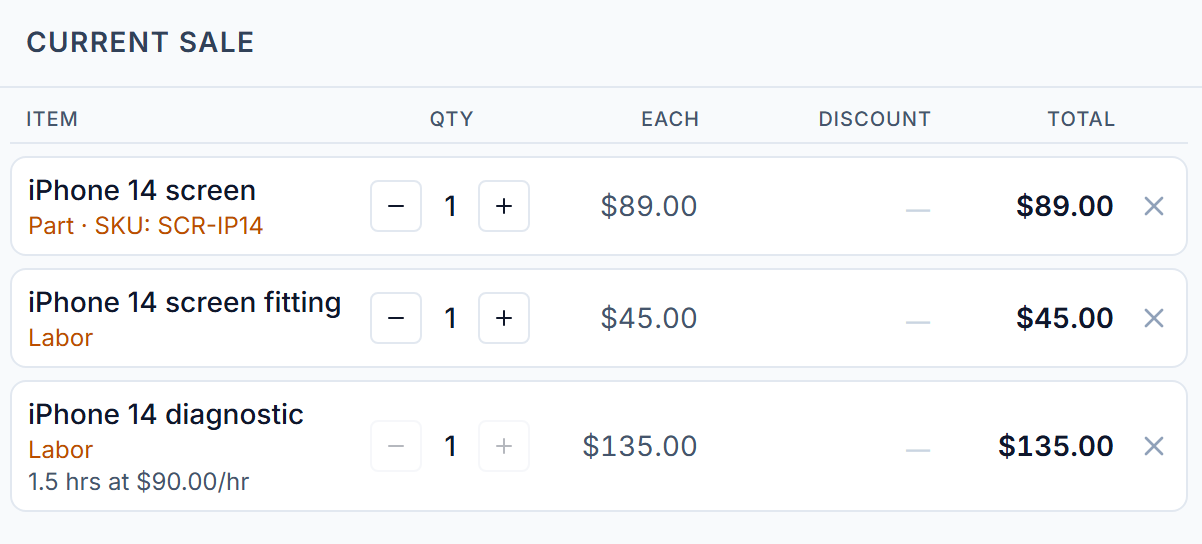
A billing note saved on the part or on the labor shows under the line in the sale and prints under it on the receipt, the same as on a ticket.
The sale is paid the usual way: cash, card, card reader or check. No ticket is opened.
Tax works the way it does on a ticket. A part is taxed. Labor follows Charge tax on labor on Settings → Commerce → Tax, so a shop that does not tax labor is not charged tax on labor at the register either.
If your shop does not sell products, the POS shows a Parts & Labor tab next to Repair Tickets, with the same search.
What you need to do
Nothing. Your parts and your saved labor are already in the search.
Tickets → Parts & Inventory
Parts Inventory Stays Right When a Part Is Sold at the Register
A part sold at the POS comes off your Parts count when the sale is paid, the same as a part used on a ticket.
- You cannot sell more of a part than you have. The list shows how many are in stock, and a part with none reads Out of stock.
- Parts sold at the register count toward your reorder suggestions, so a part that sells over the counter is reordered in time.
- When a customer returns a part, it goes back on the count once the return is refunded.
What you need to do
Nothing.