
AI Message Assistant for Repair Shops: Customer Updates Written for You
Meet Spek™, the AI message assistant built into Spekco. It writes your customer messages for you, so your team spends less time typing and more time on repairs.
Customers ask the same things every day: whether their repair is ready, what they owe, and when you are open. Spek answers from the ticket. Spekco already holds the repair, the balance and your hours in the same system that runs your register, so Spek writes a complete reply with one press, in your shop's tone.
Nothing goes out without your team. Spek writes only when someone asks, and the message waits in the box until a person reads it and presses Send. Spek is $14.99 a month on Basic and Pro, and it is included with Enterprise.
Every ticket · Customer Messages
AI Replies to Customer Texts and Emails, Written From the Repair Ticket
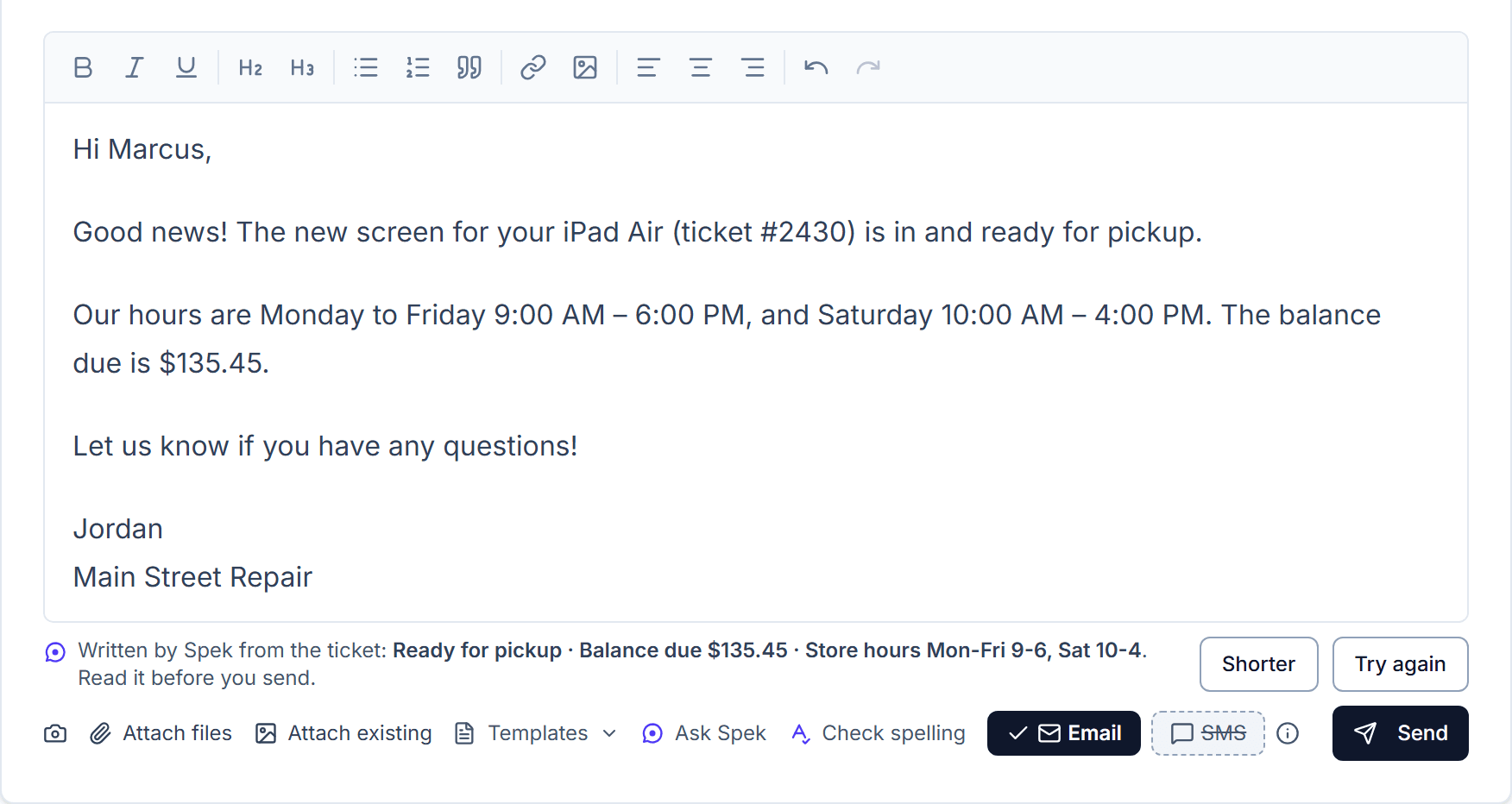
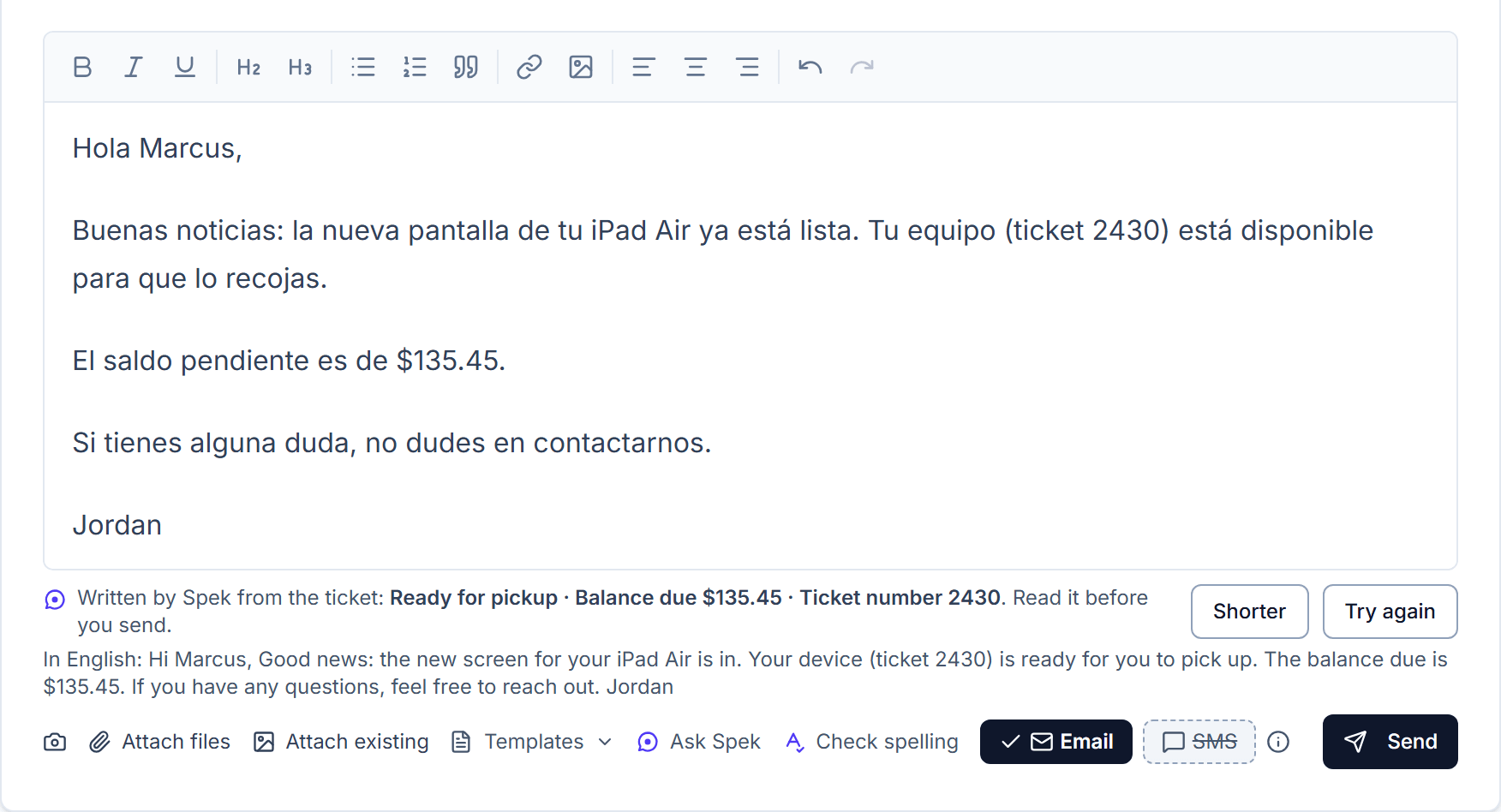
When a customer asks about their repair, press Ask Spek. The reply appears in the message box with the repair's status, the balance due and your opening hours already in it.
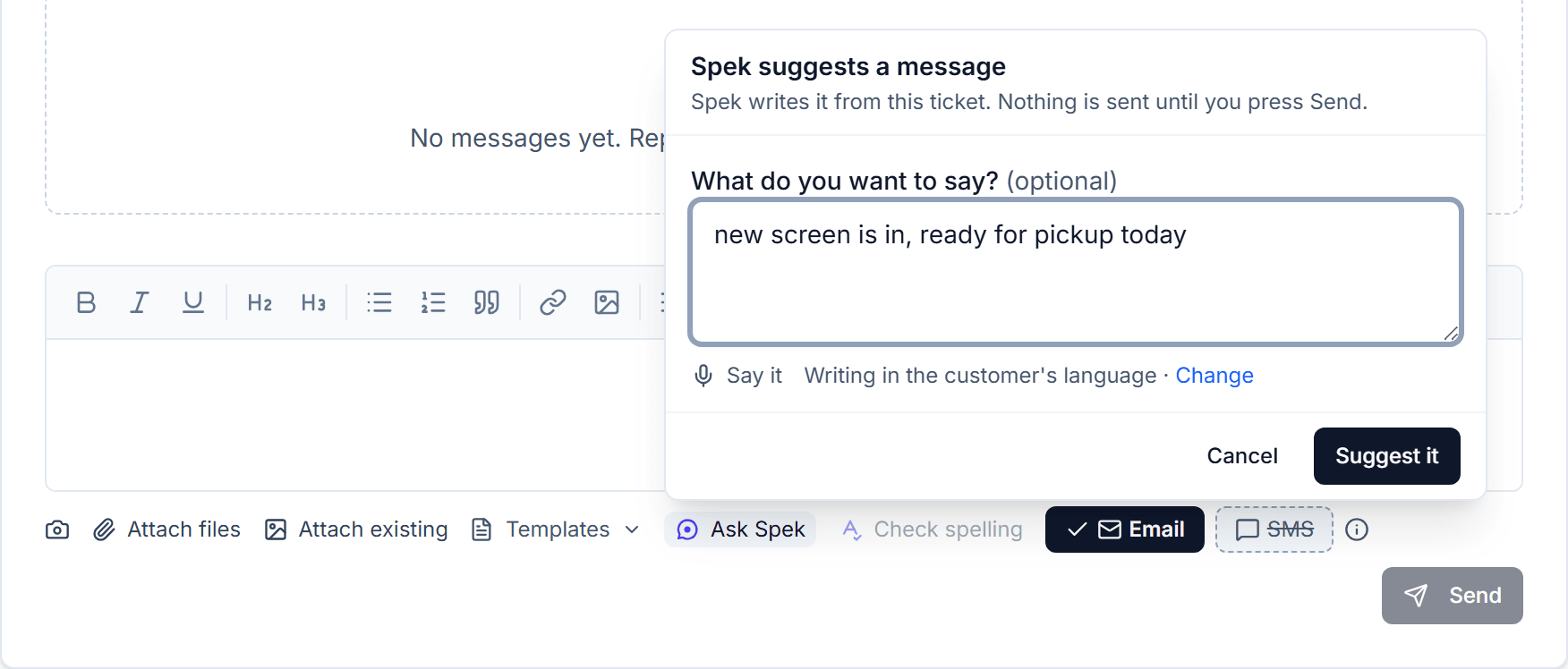
To say something specific, type a few words, like "new screen is in, ready today", and Spek turns them into a complete, friendly message. If you want it shorter or worded differently, Spek writes another version.
Spek works the same way on a customer's record, and on the reminders Spekco shows when a customer is waiting to hear back.
What you need to do
Nothing. Once an admin adds Spek, it is in the message box on every ticket.
Every ticket · Internal Notes
Explain an Internal Ticket Note to the Customer in Plain Words
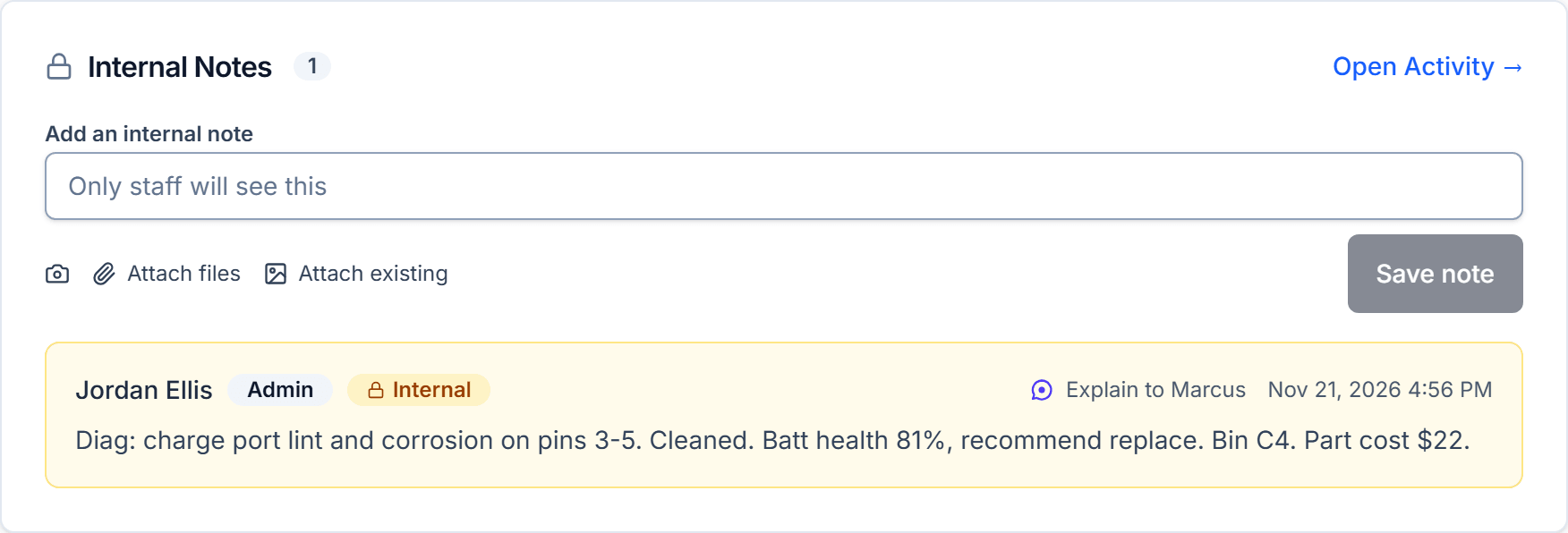
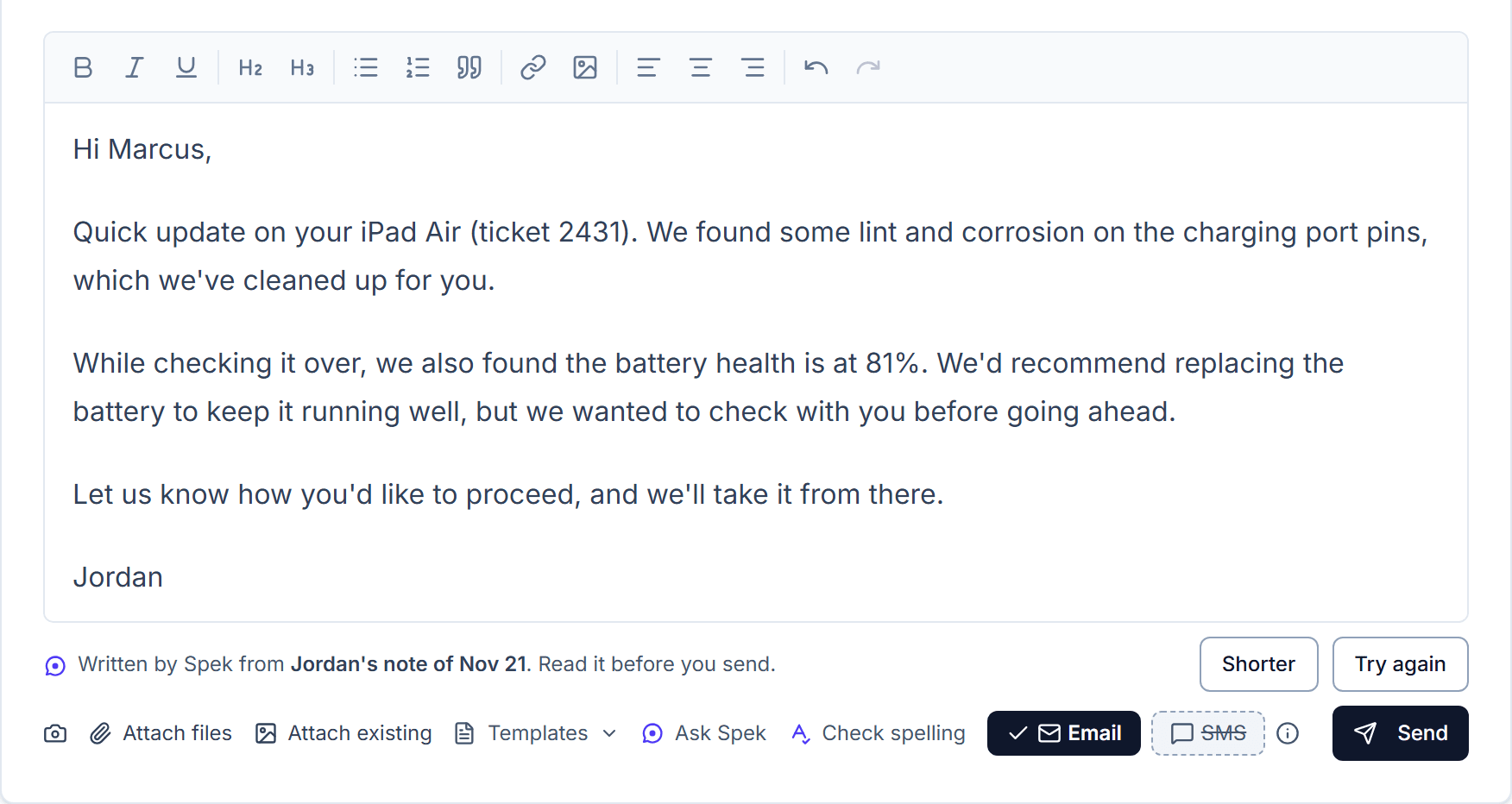
Technicians write notes for the shop, full of shorthand. Customers want to know what was found and what happens next. Spek turns a technician's note into a clear explanation for the customer, ready to send.
Part costs, shelf locations and anything meant only for staff stay out of the message.
What you need to do
Nothing. The Explain button is on every internal note.
Settings → Communications
Customer Messages in Your Shop's Tone and the Customer's Language
Every message Spek writes sounds like your shop. Choose Friendly, Professional or Brief, and Spek opens and signs off the way each person on your team already does.
Customers who write in Spanish, or any other language, get an answer in their own language. Your team sees the English underneath, so everyone knows what is being sent.
What you need to do
Nothing, unless you want a different tone. An admin can change it at any time.
Settings → Billing → Add-ons
Turn On the AI Message Assistant: Price and How It Handles Customer Information
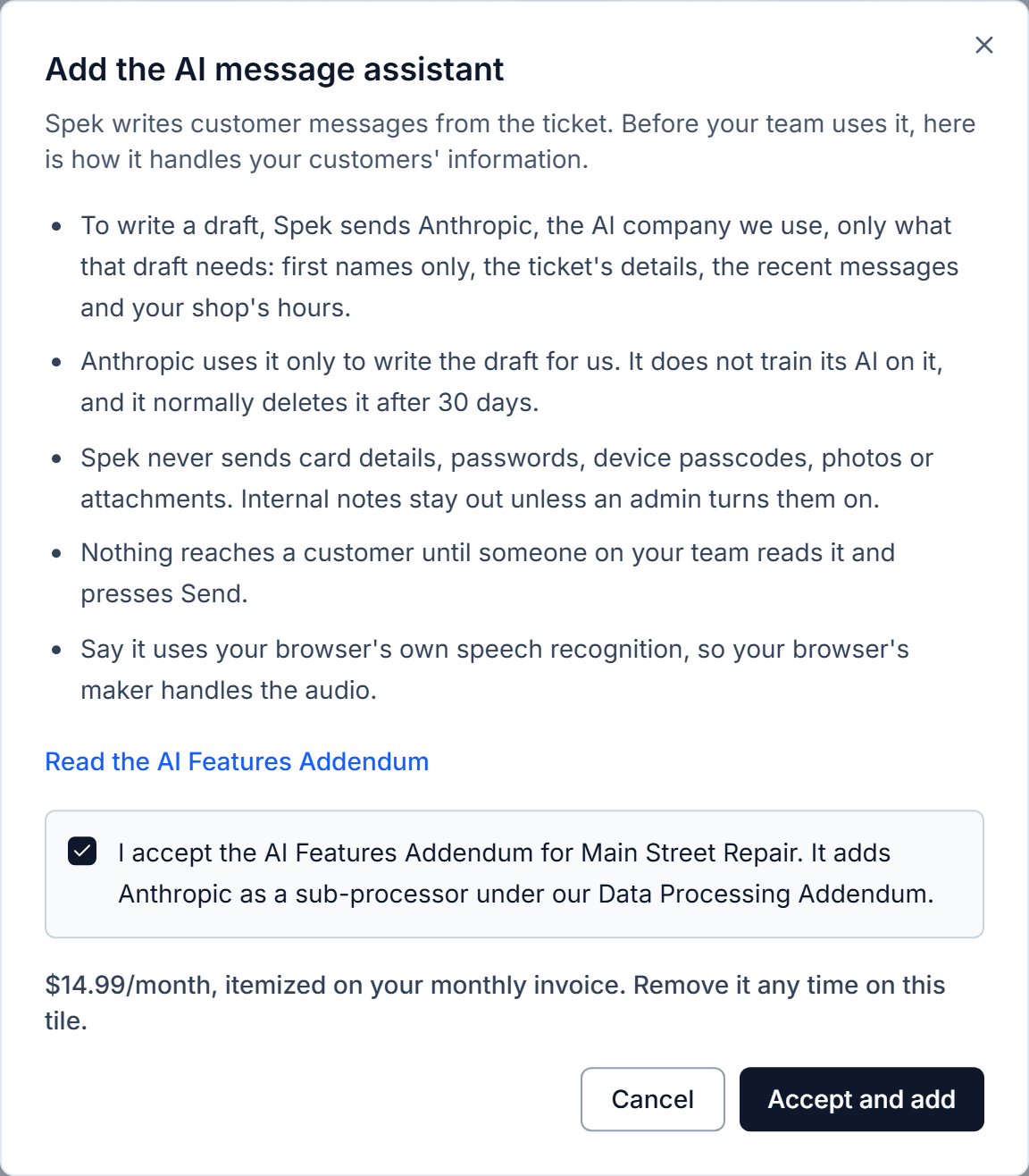
Spek is $14.99 a month on Basic and Pro, itemized on your monthly invoice, and it is included with Enterprise. Shops on a free trial can add it after their first payment.
Spek is careful with your customers' information:
- Spek uses Anthropic's AI and sends it only what a message needs, with first names only.
- Anthropic does not train its AI on your customers' information.
- Card details, passwords, device passcodes, photos and attachments are never sent.
An admin turns Spek on for the whole shop and can turn it off at any time.
What you need to do
An admin adds Spek once for the whole shop:
- Go to Settings → Billing and find the AI message assistant under Add-ons.
- Press Add (on Enterprise, Review and accept), read how Spek handles customer information, and accept.